Worked with our small iOS team to design and launch new iOS mobile app from ground up.
Staff Me Up, a trusted platform for TV and film professionals since 2003, connects freelancers with job opportunities. To improve convenience and engagement, our team designed and developed its iOS mobile app.
We started with the MVP approach and continued to build in phases to ship quickly, test assumptions, and evolve the product while keeping design intentional and grounded in real user needs.
Expand User Base
Increase the number of freelancers and media companies registered on Staff Me Up.
User Experience
Improve usability, functionality, and user engagement through platform enhancements.
Boost Visibility
Strengthen brand awareness and visibility through targeted marketing strategies.
Since our core users are freelancers who primarily visit the website to search and apply for jobs, we identified their user flow as the most critical experience to bring into the mobile app. As a result, building and refining the job application functionality became the central focus of Phase 1. During this discovery phase, I started with sketches and low-fidelity screens. After reviewing with the product and engineering team, I was then able to move onto more high fidelity screens.
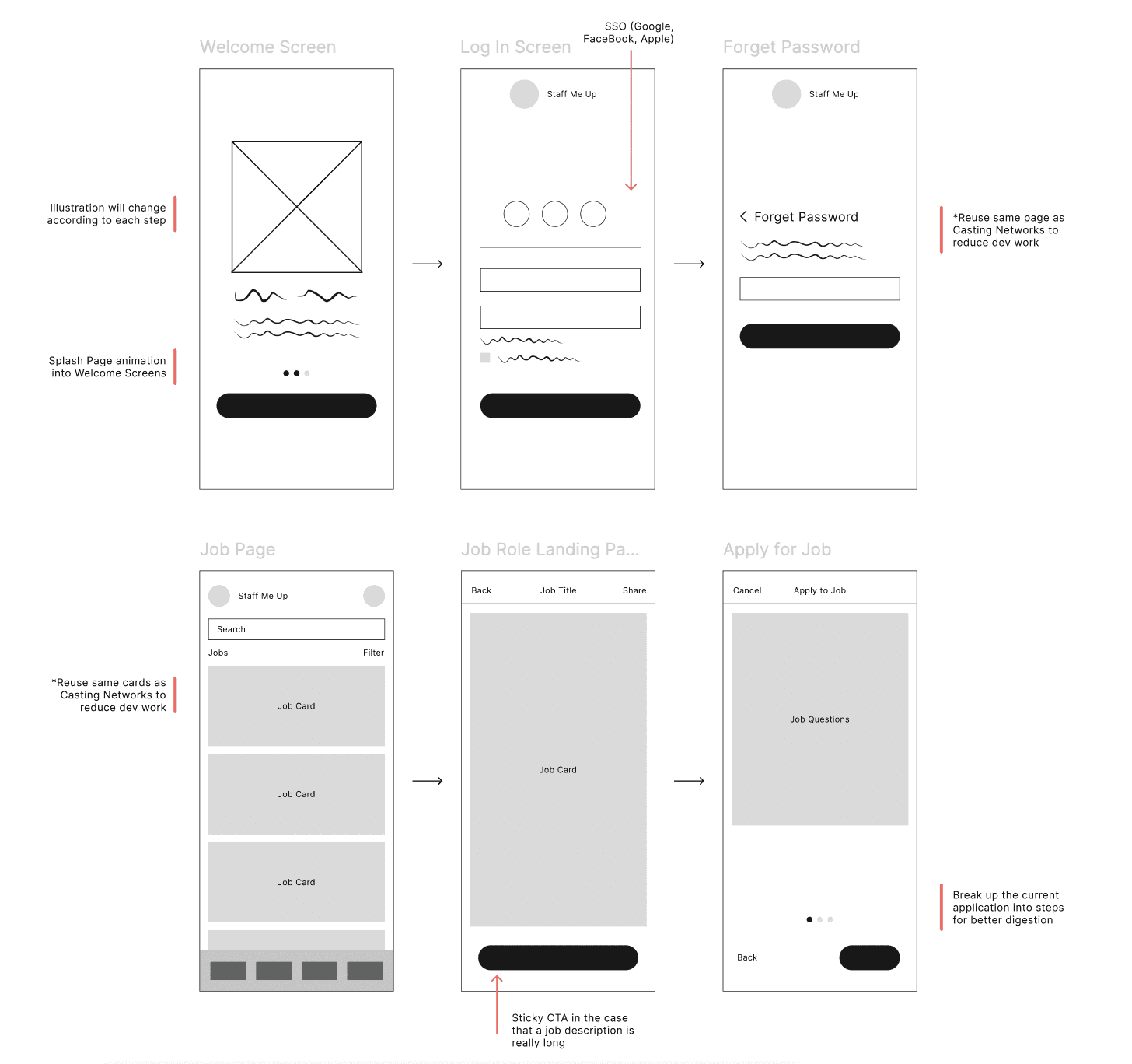
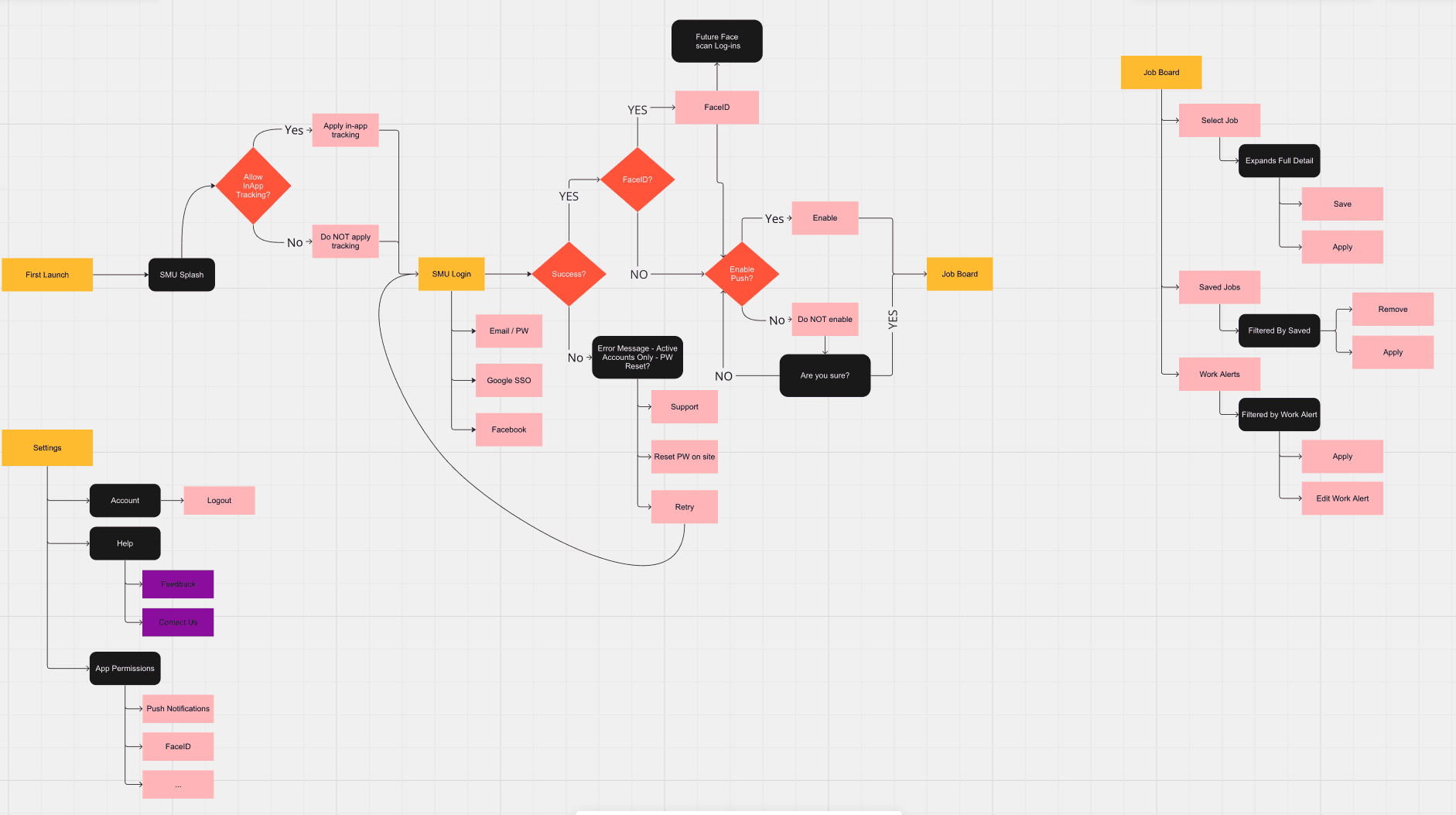
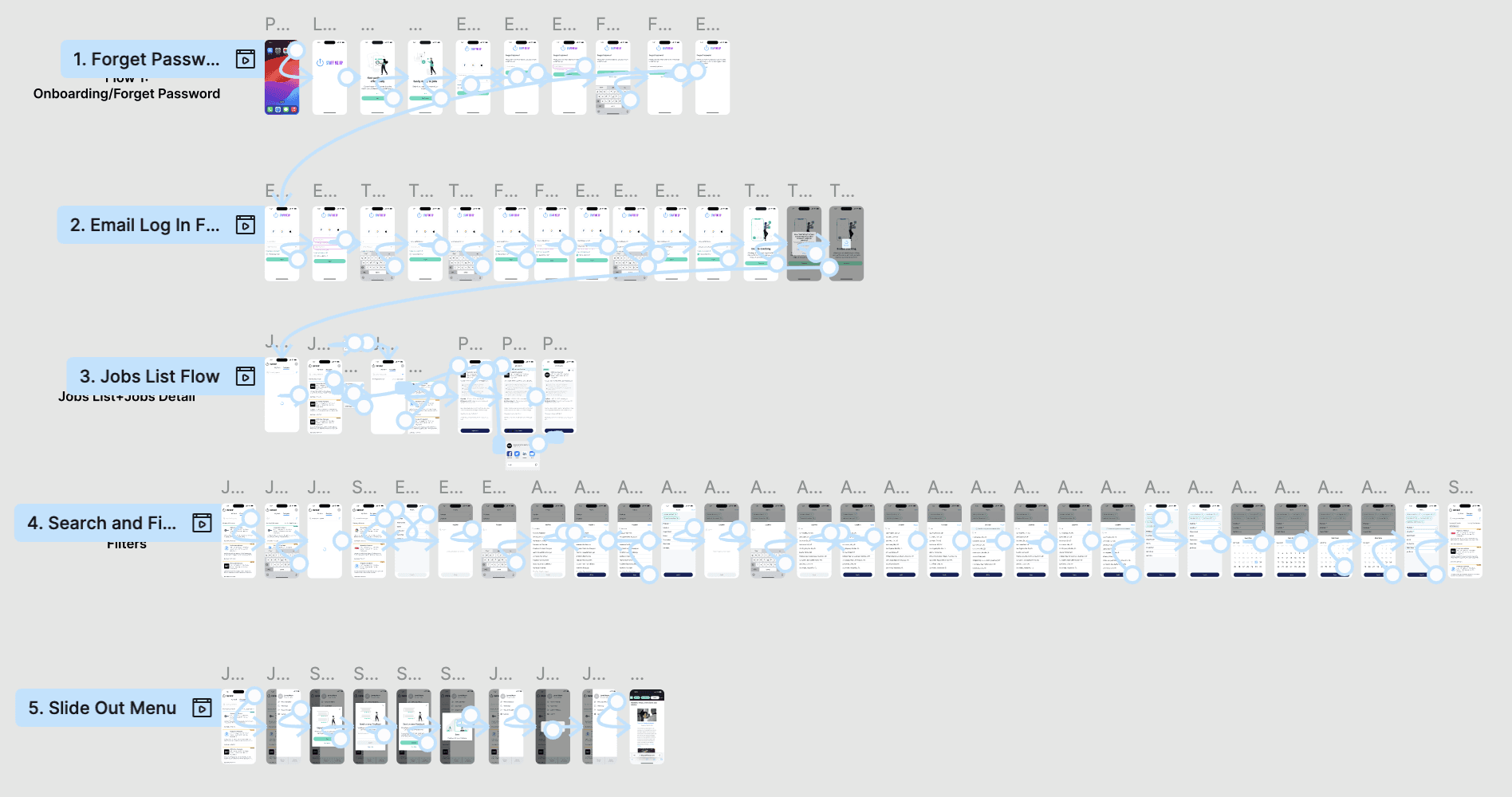
After iterating on low and mid fidelity frames, I created high-fidelity designs and ran internal usability tests. We observed participants as they completed five key flows, noting their reactions and pain points.
Some key takeaways from this experience were:
The forget password flow was not very intuitive. There were no clear exits for users once they enter their email addresses for a password reset email. We needed to make sure that the flow had clear exits for users.
The filters were too complex and were confusing. None of the filters had any helper text or indicator of the maximum selections allowed. We needed to add more visual cues to let users know how to use the filters.
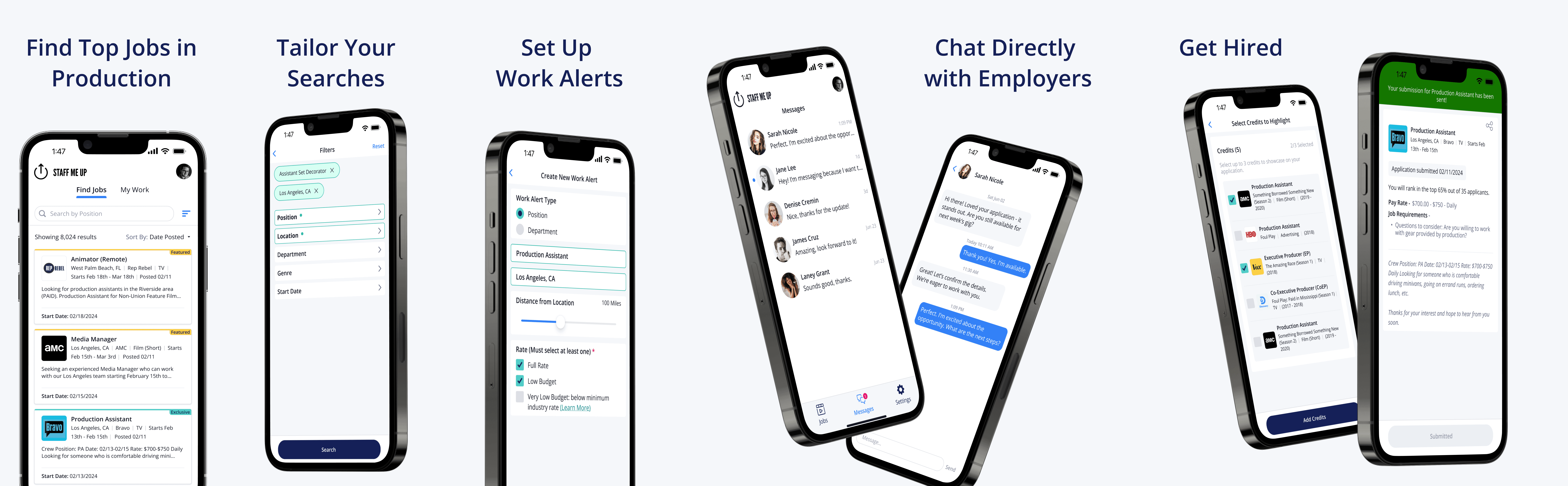
As we expanded the scope beyond core functionality, our focus shifted to building key features that would enhance the mobile experience. One of the most impactful additions was Work Alerts delivered via push notifications, which are an essential driver of engagement and retention.
To complement this, we introduced In-App Chat, also supported by notifications, enabling faster communication between users. We continued to develop additional features to create a more complete, standalone experience, reducing the need for users to rely on the desktop platform. By strengthening utility, we aimed to increase both engagement and overall satisfaction.
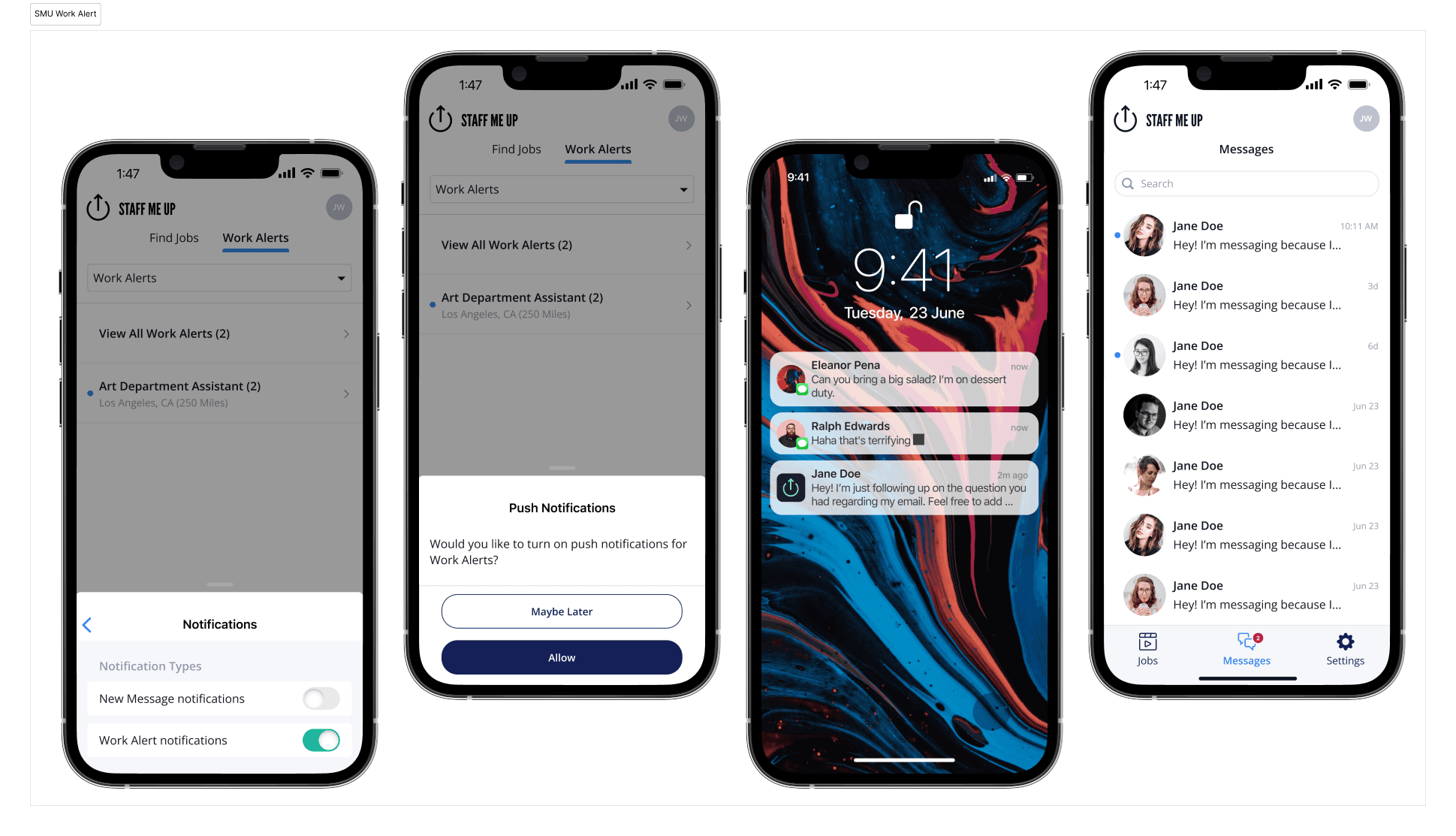
Final screens
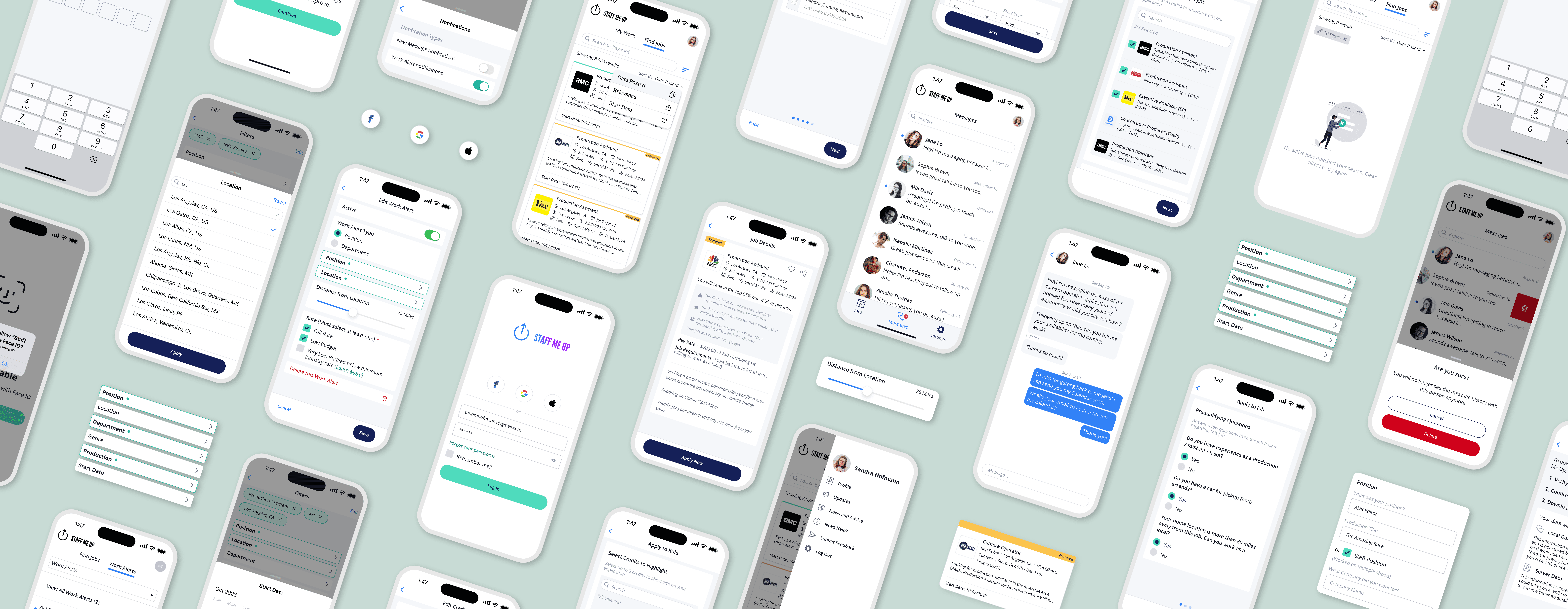
Takeaways
Driving the design from concept to launch
As the sole designer, I led the app’s visual and user experience from the ground up, including the App Store screenshot designs. Now in Phase 3, the app continues to evolve with new features, directly addressing the needs of freelancers and enhancing their mobile experience.
Turning challenges into learning and impact
Despite limited resources and time, I navigated design library updates, resourcing shifts, and component constraints from our sister app. I gained valuable insights from real-time user feedback and grew as a designer. This project was not only a learning experience but also reignited my passion for mobile app design.